Personal Finance · iPhone · Free
All Cashback: Credit Cards
See which of your bank cards gives the most cashback right now, with a Home Screen widget and monthly reminders.
What All Cashback does
If you use several bank cards, each with its own rotating cashback categories, remembering which one to use for groceries, fuel or restaurants this month is a chore. All Cashback keeps every card, category and percentage in one place and answers the question in seconds: which card should I pay with right now?
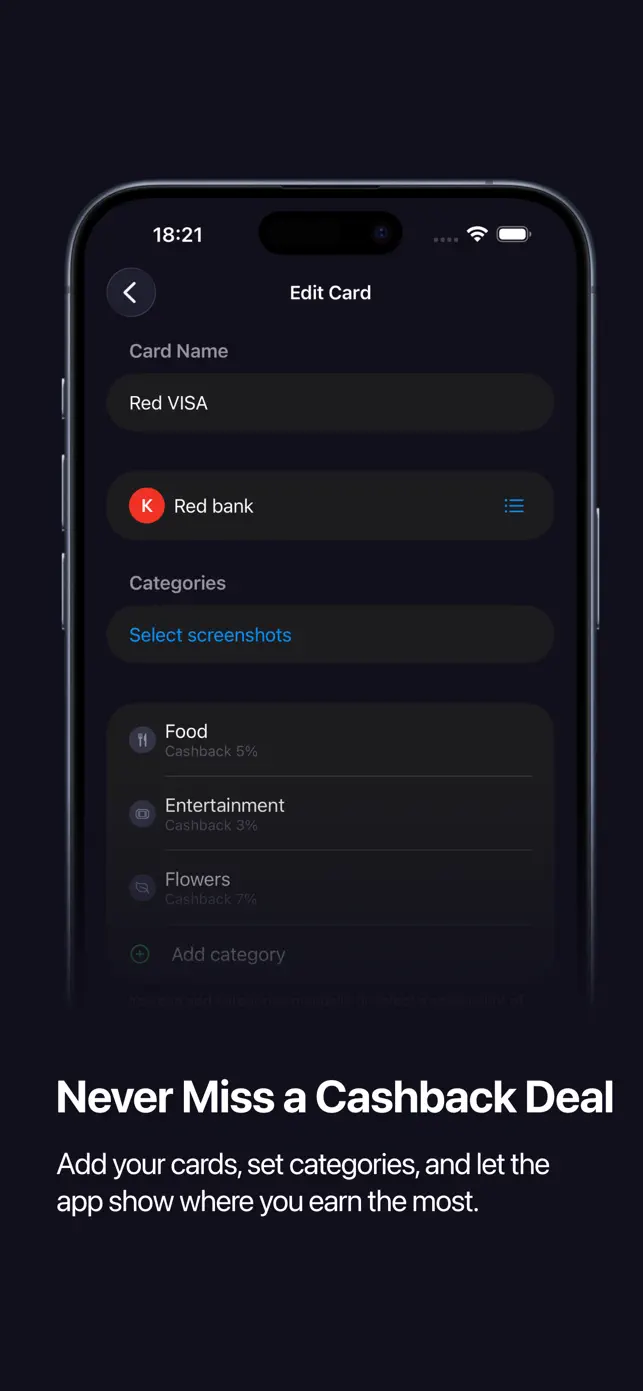
Adding a card takes a moment. Type its name and the bank fills in automatically, then enter cashback categories by hand or scan a screenshot from your banking app and let the app recognize the categories, even when they are laid out in two columns. Sort by percentage and the best card for each category is obvious.
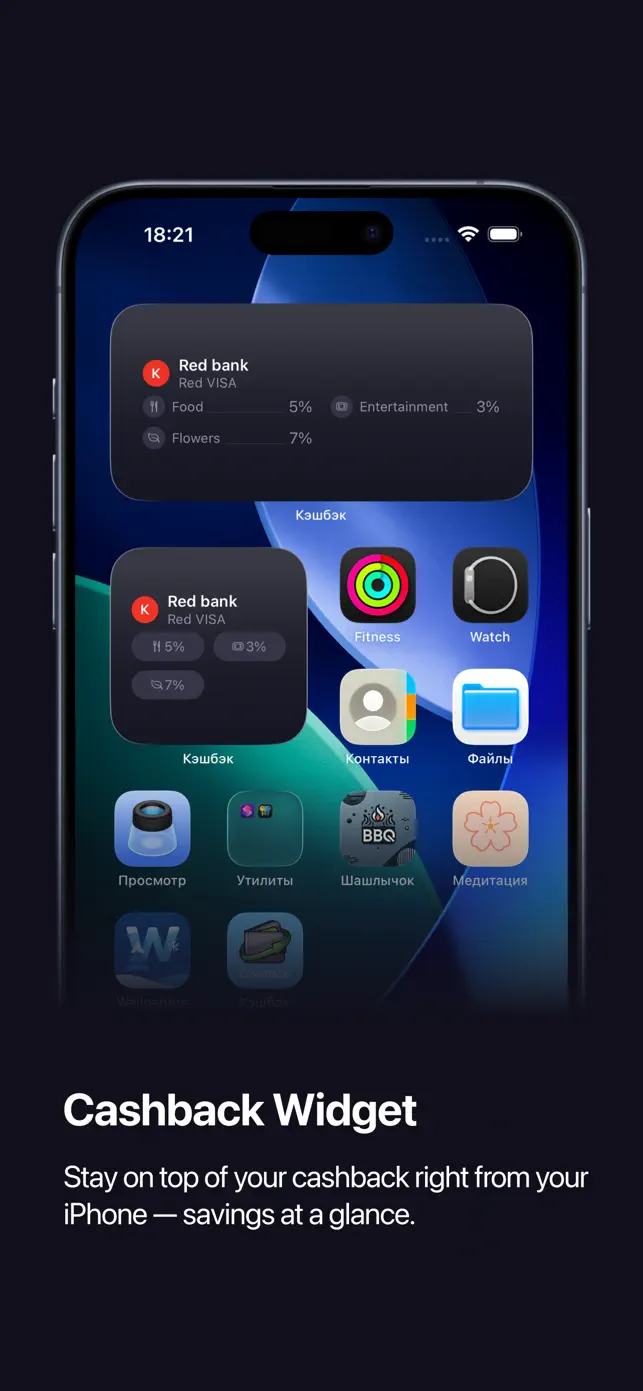
A Home Screen widget shows your top categories without opening the app, and a monthly notification reminds you to refresh categories when banks rotate them. Privacy comes first: the app never asks for card numbers, PINs or CVV codes, and your cards and categories stay on your device.
Key features
All cards in one place
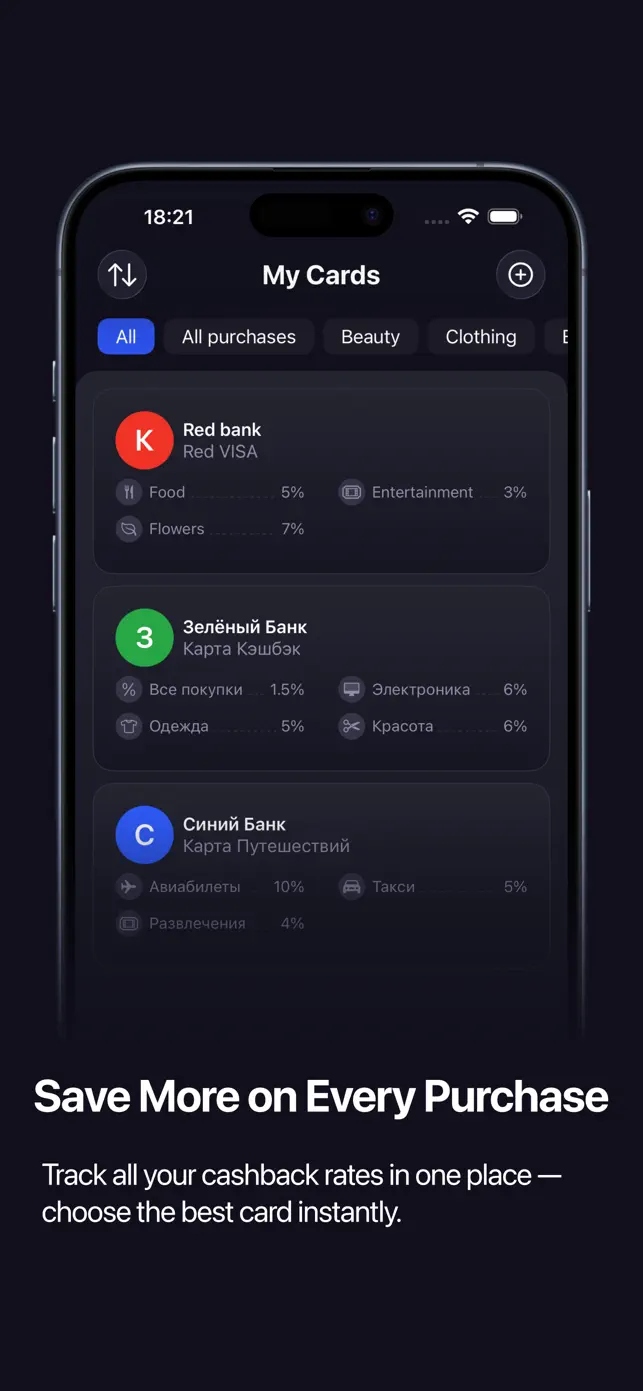
Add every bank card with its cashback categories and percentages.
Screenshot recognition
Scan a screenshot from your banking app and categories are recognized automatically, including two-column layouts.
Best card at a glance
Sort cards and categories by cashback percentage and pick the most rewarding one before you pay.
Home Screen widget
Your top cashback categories on the Home Screen, ideal in the checkout line.
Monthly reminders
A notification when it is time to refresh categories so you never pay with the wrong card.
Fully customizable
Rename cards and categories, choose emoji or icons, and add custom categories your bank does not list.
Partner offers
A section with bank offers and referral bonuses.
Privacy first
No card numbers, PINs or CVV codes are ever requested; data stays on your device.
Best for
- Choosing the right card at the supermarket checkout.
- Tracking rotating monthly cashback categories across several banks.
- Comparing cashback percentages before a large purchase.
- Remembering to re-select categories at the start of each month.
Who it is for
- People with two or more cashback cards
- Deal hunters and points optimizers
- Families sharing several bank cards
How it works
- Add your cards: type the name and the bank fills in automatically.
- Enter cashback categories manually or scan a screenshot from your banking app.
- Sort by percentage to see the best card for each category.
- Add the widget to your Home Screen and enable monthly reminders.
Price
Free download.
Frequently asked questions
Does All Cashback need my card number?
No. The app never asks for card numbers, PINs or CVV codes. You only store card names and cashback categories.
Where is my data stored?
Your cards and categories stay on your device.
Can it read categories from my banking app?
Yes. Take a screenshot of the categories page in your banking app and All Cashback recognizes the categories automatically.
Is there a widget?
Yes, a Home Screen widget shows your top cashback categories.
Is the app free?
Yes, All Cashback is free to download.
What's new in version 1.7
Released August 15, 2026
- What's new
- • The bank fills in automatically as you type a card name — start typing and the matching bank appears in the card.
- • A welcome screen on first launch lets you turn on notifications and reminders right away.
- Fixes
- • The monthly reminder to refresh your cashback categories now arrives every month instead of just once. Tapping it opens the right card.
- • Notification permission is now requested inside the app, so the switches in Settings work as expected.
- • Card order changes apply immediately, with no restart.
- • A card can no longer be saved without a bank, and a category can no longer be saved without a name.
- • Bank search matches any part of the name, not just the beginning.
- • The widget now shows text in the language you picked in the app.
- • Switching languages no longer breaks the bank list: deleted banks stay deleted and edited ones are no longer duplicated.
Get All Cashback on your iPhone
Free download from the App Store. iOS 16.0 or later.