Business & Invoicing · iPhone · iPad · Free · Pro upgrade
Jobdoc: Estimate Invoice Maker
Make a clean PDF invoice or estimate in under a minute, right on the job site and even offline.
What Jobdoc does
Jobdoc is built for people who bill by the job: contractors, handymen, cleaners, painters, plumbers and electricians. Add a client and line items and Jobdoc does the math, including quantities, a discount and several taxes, then produces a clean PDF invoice or estimate with your logo in under a minute.
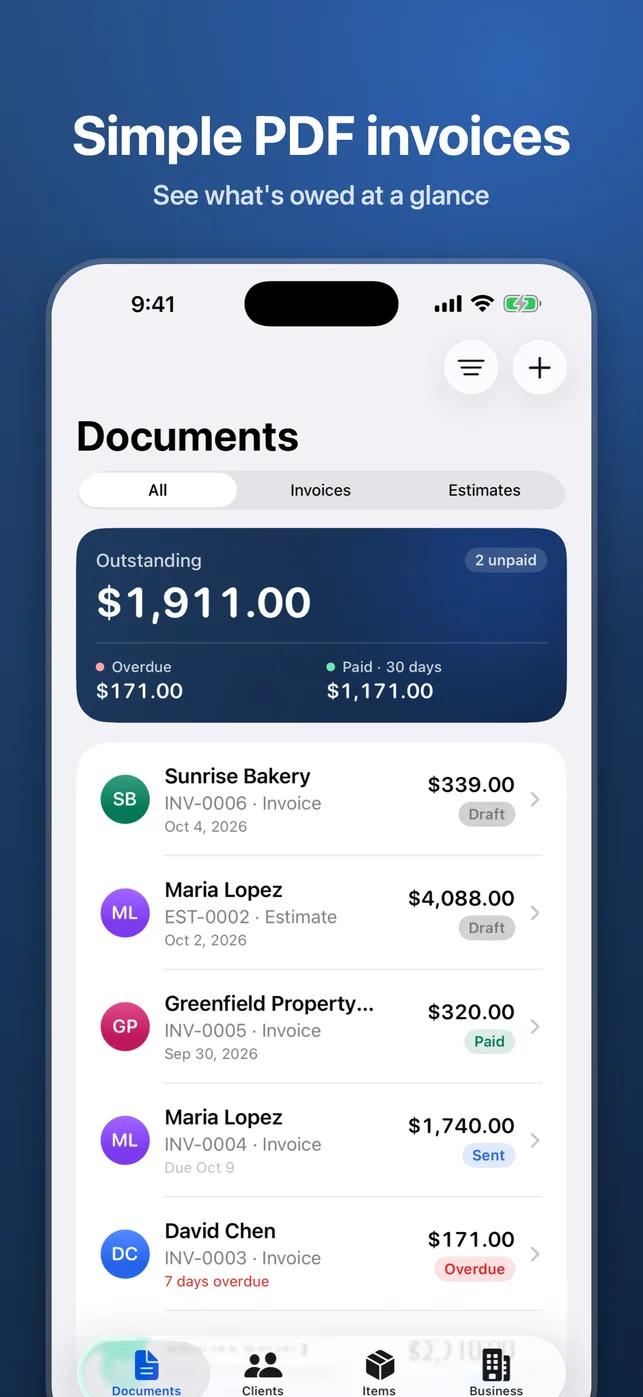
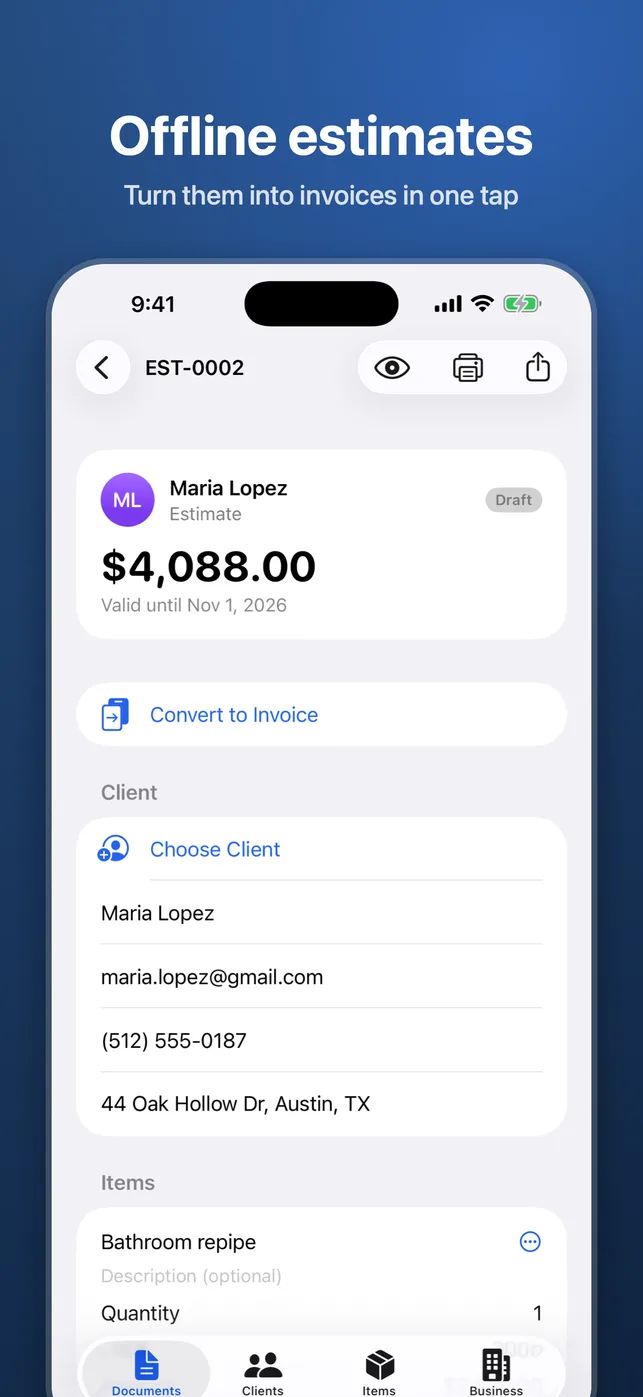
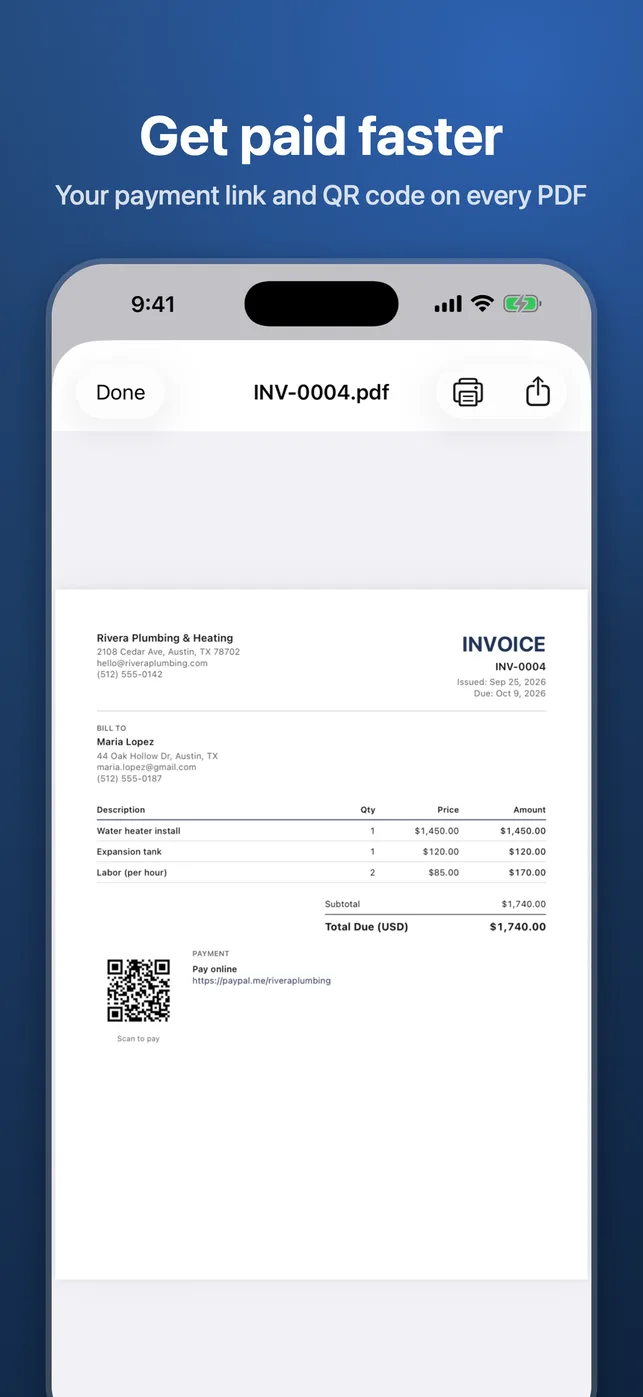
Estimates turn into invoices with one tap once the client accepts. Add your own payment link and it is printed on the PDF together with a QR code, so clients can pay you directly. Share by email, message or AirDrop, or print, and see what is outstanding, overdue and paid at a glance.
Your documents stay yours. There is no account and no sign-up; data is saved on your device and synced through your own iCloud, and you can export every document as PDF and CSV at any time. If you ever cancel Jobdoc Pro, you can still view, re-send and export everything.
Key features
Invoices and estimates in a minute
Line items, quantities, a discount and several taxes calculated for you.
Estimate to invoice
Convert an accepted estimate into an invoice with one tap.
Payment link and QR code
Add your PayPal, Stripe, Venmo, Square or other link; it is printed on every PDF with a QR code.
Three PDF templates
Clean templates with your logo, on Letter or A4 paper.
Saved clients and items
Reuse frequent clients and services in two taps, or pick a client from Contacts.
Status and reminders
See outstanding, overdue and paid at a glance and get a reminder on the due date of an unpaid invoice.
Works offline, syncs with iCloud
Create documents with no signal; they sync across your devices through your own iCloud.
Export everything
Export all documents as PDFs and a CSV at any time, free.
Siri and Shortcuts
Start a new invoice or estimate by voice or from the Shortcuts app.
Best for
- Writing an estimate at the client's door and sending it before you leave.
- Turning an accepted estimate into an invoice when the job is done.
- Getting paid faster with a payment link and QR code on the PDF.
- Keeping track of overdue invoices without a spreadsheet.
Who it is for
- Contractors and tradespeople
- Handymen, cleaners, painters, plumbers and electricians
- Freelancers and small businesses that bill by the job
How it works
- Add your business details and logo once on the Business tab.
- Create an invoice or estimate, pick a client and add line items.
- Preview the PDF, then share it by email, message or AirDrop, or print it.
- Mark the invoice as paid when the money arrives; Jobdoc reminds you about unpaid ones on the due date.
Price
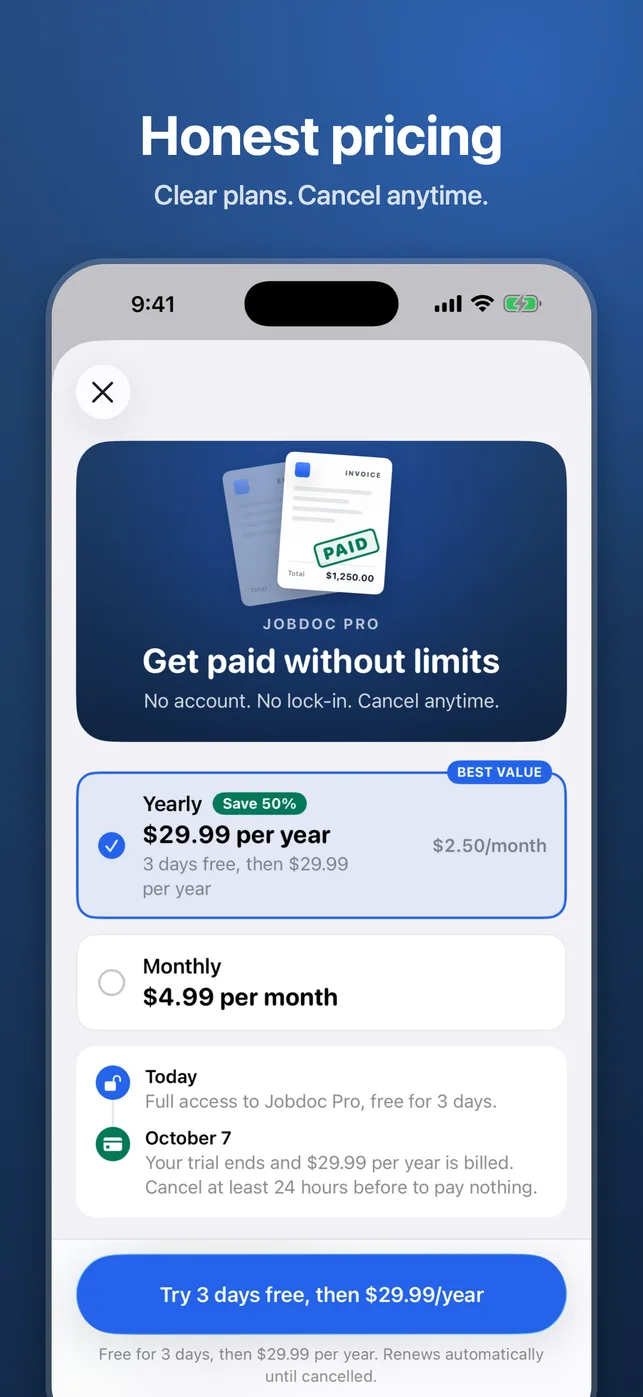
Free download: create unlimited invoices and estimates and send your first 3. Jobdoc Pro unlocks unlimited sending for $4.99 per month or $29.99 per year with a 3-day free trial (prices may vary by country). Viewing, re-sending and exporting your documents stay free, even after you cancel.
Frequently asked questions
Do I need an account?
No. Jobdoc has no account or sign-up. Your documents are stored on your device and synced through your own iCloud.
Does Jobdoc work offline?
Yes. You can create, edit and preview invoices and estimates with no signal; they sync when you are back online.
Does Jobdoc process payments?
No. You add your own payment link (PayPal, Stripe, Venmo, Square and others) and clients pay you directly through it.
What does Jobdoc Pro add?
Free users can create unlimited documents and send their first 3. Jobdoc Pro unlocks unlimited sending for $4.99 per month or $29.99 per year with a 3-day free trial.
What happens to my documents if I cancel?
Nothing is locked. You can still view, re-send and export every document as PDF and CSV.
Is Jobdoc tax or accounting software?
No. Jobdoc calculates totals from the rates you enter and makes the documents; you remain responsible for the tax rates, numbering and legal requirements that apply to your business.
Jobdoc is coming soon
Free download from the App Store at launch. iOS 26.0 or later.